AurelisDesk is an independent mobile app comparison platform. We may earn a commission when you click through.
Kids Education Apps: The Best Picks by Learning Goal
Khan Academy Kids is free across platforms, while RV AppStudios leads in reading and maths reach with 10M-plus and 50M-plus downloads.
Quick Picks
Best overall: Khan Academy Kids for a broad, free curriculum covering ages 2–8.
Best for reading: Learn to Read: Kids Games for phonics and sight-word practice on Android.
Best for early maths: Math Kids: Math Games For Kids, with 50M-plus downloads and 75,000 reviews.
There is a useful split in this list: a few apps teach a defined skill, while others provide broad toddler play. Start with the child’s learning target, not the most colourful icon.
Structured Learning: Reading, Maths, and a Full Curriculum
Skill-specific apps are easier to judge because the learning goal is visible. The broader curriculum apps win on variety, but they can feel less focused during a short daily practice session.
Khan Academy Kids
Khan Academy Kids is the strongest all-rounder here: its Android listing covers reading, phonics, maths, and interactive storybooks for ages 2–8, while the iOS listing states that more than 5,000 games, books, and videos are available with no ads or subscriptions. That breadth makes it easier to keep one app on a family device, although a child practising one narrow skill may need more direction than the app itself provides.

Khan Academy Kids
The iOS version confirms the most important practical detail: Khan Academy Kids is free, ad-free, and subscription-free. Compared with the Android listing, it gives a clearer picture of the library size and pricing model. Families using iPads get the same broad curriculum, but the listing does not establish whether every activity works offline, so check access before relying on it for travel or low-connectivity use.

Learn to Read
A 4.7 rating from 14,200 reviews and 10M-plus downloads give Learn to Read: Kids Games the clearest public traction among the reading-focused picks. RV AppStudios positions it around early reading practice, so it is a better match for phonics and sight words than a general toddler game. The limitation is platform coverage in this list: the supplied listing is Android only, and no price or ad details are provided.

Math Kids
Math Kids: Math Games For Kids has the biggest reach in the comparison at 50M-plus downloads and 75,000 reviews, with a 4.5 rating. That combination suggests a well-established maths practice app, especially for counting and early number work. It is narrower than Khan Academy Kids, but that focus can help when a child needs repeated maths exposure rather than another mixed activity library.

Reading and maths have the strongest evidence behind them: ratings, review counts, and download totals are visible. The toddler-focused apps below are more play-led, so the decision shifts from curriculum breadth to age fit and tolerance for in-app purchases.
Play-Led Apps for Toddlers
Simple interaction is useful for younger children, but a low-friction game is not automatically a strong teaching tool. These apps can introduce letters, routines, and basic concepts; they should not be mistaken for a complete early-learning programme.
Baby Games
Baby Games - Learning for Kids is labelled for toddlers aged 2 and above and carries a 4.4 rating from 670 App Store ratings. That is enough evidence for a reasonable first look, but the listing also shows in-app purchases, unlike Khan Academy Kids’ stated no-subscription model. Choose it for short, simple toddler sessions; older preschoolers may outgrow the content faster than they would a reading, maths, or full-curriculum app.

Baby Games for Kids
Keiki is aimed at children around the 2–5 range and has a 4.6 rating from roughly 1,000 App Store ratings, giving it stronger visible user feedback than the smaller toddler listings. The app is free to download but includes in-app purchases, and the supplied page does not state the paid content or subscription terms. It makes sense for a preschooler who needs variety, not for a parent seeking a clearly documented free curriculum.

Keiki has the stronger rating signal among the toddler apps, while Baby Games has the simpler age positioning. Neither listing provides enough pricing detail to compare paid content fairly, so parents should inspect the App Store purchase screen before handing over a device.
Light Learning and Single-Activity Games
The final pair sits closer to themed play than structured instruction. That is not a flaw, provided the expectation is modest: these are activity starters, not replacements for guided reading or maths practice.
QCat
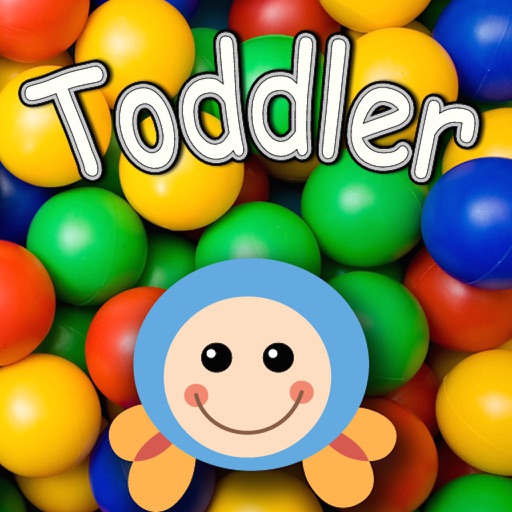
QCat combines a 3D ball-pool game with alphabet audio, using tapping and device tilting to trigger movement and letter sounds. That physical interaction may hold a toddler’s attention better than a worksheet-style activity, but the description supports only a light introduction to letters, not phonics instruction or reading progression. The listing also calls it free, yet does not provide a rating, review count, or wider curriculum details.
Desk Verdict
Choose Khan Academy Kids for a family that wants one broad, free app covering ages 2–8, especially when ads and subscriptions are dealbreakers. Select Learn to Read: Kids Games for an Android child practising early reading, and Math Kids for focused counting and number work backed by the largest review and download totals in this comparison.
For children aged 2–5 who mainly need short, playful sessions, Keiki or Baby Games can fill that role, but inspect their in-app purchase screens first. QCat and Dentist Baby Games belong in the occasional activity folder rather than the main learning plan.
Age, skill, and platform change the ranking quickly. The related guide, Kids Education Apps Filed by Age, Skill, and Platform, sorts those choices in more detail.


